
We have explored each of the ten must-have smart home devices in detail, covering their problem statements, benefits, advantages, disadvantages, installation guides, comparisons, prices, and best solutions. Here’s a quick recap of each device:
- Smart Thermostats: Automated temperature control, energy savings, and enhanced comfort. Best Solution: Nest Learning Thermostat.
- Smart Lighting: Energy efficiency, customizable ambiance, and remote control. Best Solution: Philips Hue.
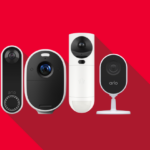
- Smart Security Cameras: Real-time monitoring, motion detection, and remote access. Best Solution: Arlo Pro 4.
Smart Locks:
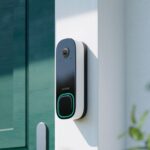
- Smart Doorbells: Real-time visitor notifications, two-way communication, and motion detection. Best Solution: Ring Video Doorbell Pro 2.
- Smart Plugs: Remote control of appliances, energy usage monitoring, and scheduling features. Best Solution: TP-Link Kasa Smart Plug.
- Smart Speakers: Voice control capabilities, high-quality audio, and central hub functionality. Best Solution: Amazon Echo (4th Gen).
- Smart Vacuum Cleaners: Autonomous cleaning, time-saving features, and advanced mapping capabilities. Best Solution: iRobot Roomba i7+.
- Smart Home Hubs: Centralized control, enhanced automation, and improved integration. Best Solution: Samsung SmartThings Hub.
- Smart Blinds: Automated light and privacy control, enhanced energy efficiency, and remote control. Best Solution: Lutron Serena Shades.
4. Smart Locks
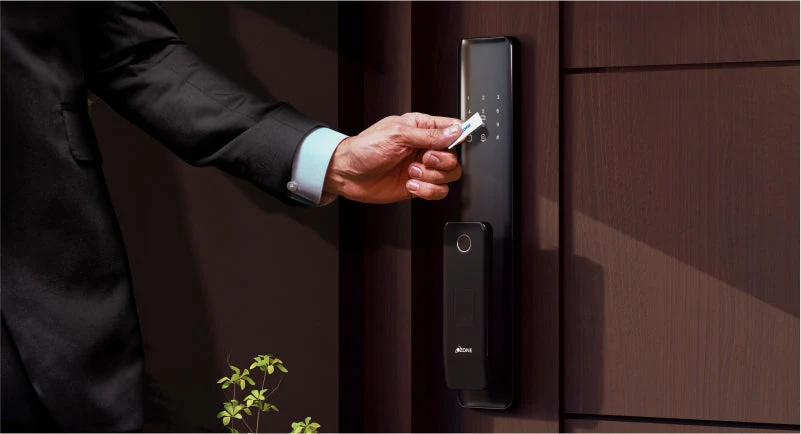
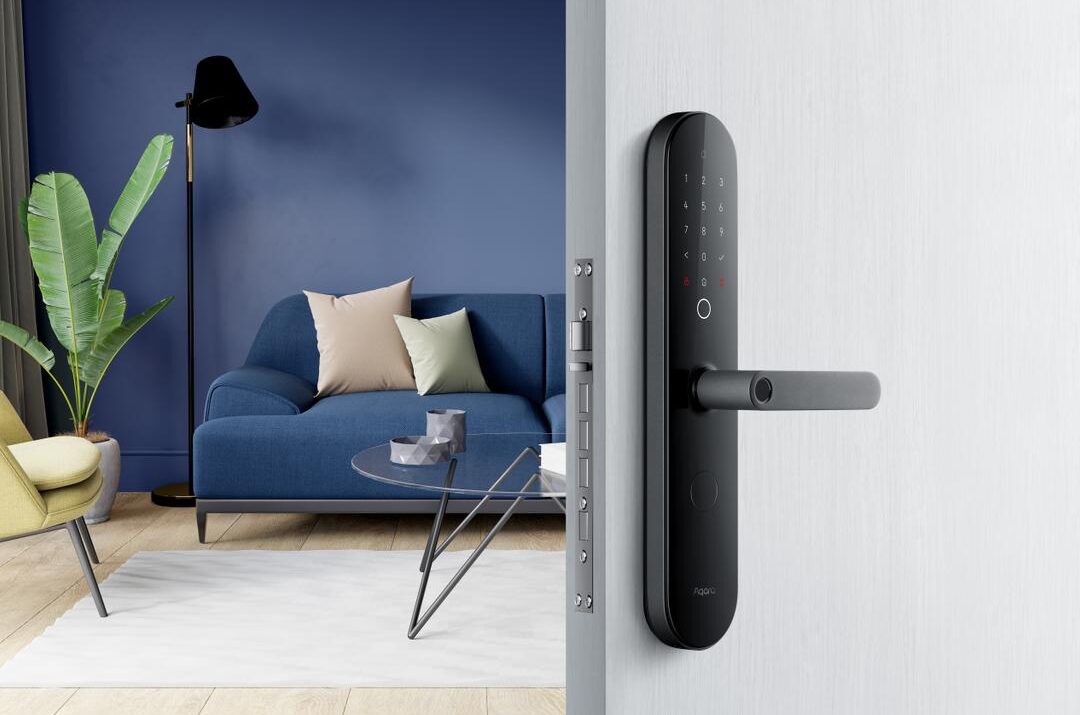
Introduction: Traditional locks can be cumbersome, and losing keys can pose a security risk. Smart locks address these concerns by offering keyless entry, enhanced security, and temporary access for guests. These devices provide convenience and peace of mind by allowing homeowners to control their locks remotely and monitor access to their homes.
Problem Statement: Traditional locks require physical keys, which can be lost, stolen, or duplicated without your knowledge. Managing keys for family members, guests, and service providers can be challenging and inconvenient. Additionally, traditional locks do not provide insights into who is entering or leaving your home, making it difficult to monitor access and enhance security.
Benefits
Enhanced Security: Smart locks offer advanced security features such as fingerprint recognition, facial recognition, and secure access codes, reducing the risk of unauthorized entry.
Remote Access: You can lock and unlock your door remotely using a smartphone app, which is convenient if you forget to lock your door or need to let someone in while you’re away.
Convenience: Smart locks eliminate the need for physical keys. You can use your smartphone, fingerprint, or a secure code to access your home, making it easier for family members and guests.
Integration with Smart Home Ecosystem: Smart locks can integrate with other smart home devices like security cameras, lights, and voice assistants, creating a seamless and automated home security system.
Activity Monitoring: Many smart locks come with activity logs, allowing you to monitor who enters and exits your home, enhancing security and peace of mind.
Customizable Access: You can create and manage multiple access codes for family members, friends, or service providers, setting limits on their access as needed.
Disadvantages
Cost: Smart locks can be more expensive than traditional locks, and some models may require additional accessories or subscriptions for full functionality.
Technical Issues: Like any technology, smart locks can experience technical glitches, such as connectivity issues or software malfunctions, which can be inconvenient and potentially compromise security.
Battery Dependency: Smart locks rely on batteries, and if the batteries die, you may be locked out of your home. It’s essential to regularly check and replace batteries.
Hacking Risks: As with any connected device, there is a potential risk of hacking. Ensuring your smart lock has robust security measures and keeping the software updated is crucial.
Compatibility: Not all smart locks are compatible with every door type or smart home system. It’s essential to check compatibility before purchasing.
Installation Complexity: Some smart locks may require professional installation, adding to the overall cost and complexity.
Examples of Smart Locks:
August Wi-Fi Smart Lock: Enhanced security features and remote access. Disadvantage: Requires frequent battery changes.
Yale Assure Lock 2: Excellent integration with HomeKit. Disadvantage: Higher initial cost.
Schlage Encode Plus: Convenient for Apple Watch users. Disadvantage: Expensive compared to traditional locks.
Ultraloq Bolt Fingerprint: Reliable fingerprint access. Disadvantage: Potential connectivity issues.
Proscenic L60 Smart Lock: Budget-friendly option. Disadvantage: Limited advanced features compared to higher-end models.
By weighing the benefits and disadvantages, you can determine which smart lock best suits your home automation needs and security preferences. Let me know if you need more information or assistance!

Installation Guide: Installing a smart lock is a relatively straightforward process, but it is essential to follow the manufacturer’s instructions carefully to ensure proper setup and functionality. Here is a general installation guide:
- Remove the old lock from the door by unscrewing the mounting hardware and detaching it from the door.
- Install the smart lock following the manufacturer’s instructions. This typically involves attaching the mounting plate, connecting the necessary components, and securing the lock to the door.
- Download the app and connect the lock to your Wi-Fi network. Follow the setup instructions in the app to configure settings, create access codes, and customize preferences.
- Set up access codes for family members, guests, or service providers. You can create temporary or permanent codes and adjust access permissions as needed.
- Test the lock to ensure that it functions correctly. Lock and unlock the door using the app, keypad, or biometric sensor to confirm proper operation.
Comparison: There are several popular smart locks on the market, each with its unique features and capabilities. Two of the top contenders are the August Smart Lock Pro and the Schlage Encode.
- August Smart Lock Pro: The August Smart Lock Pro offers easy installation and integration with existing deadbolts, making it a versatile option for homeowners. It provides remote control via the August app, supports voice control through Amazon Alexa, Google Assistant, and Apple HomeKit, and offers activity logs and alerts for enhanced security. The August Connect Wi-Fi Bridge enables remote access and integration with other smart home devices.
- Schlage Encode: The Schlage Encode features built-in Wi-Fi for easy setup and remote control without the need for an additional hub. It provides advanced encryption for enhanced security and supports voice control through Amazon Alexa. The Schlage Home app allows users to create and manage access codes, monitor activity, and receive notifications.
Benefits
Enhanced Security: Smart locks offer advanced security features such as fingerprint recognition, facial recognition, and secure access codes, reducing the risk of unauthorized entry.
Remote Access: You can lock and unlock your door remotely using a smartphone app, which is convenient if you forget to lock your door or need to let someone in while you’re away.
Convenience: Smart locks eliminate the need for physical keys. You can use your smartphone, fingerprint, or a secure code to access your home, making it easier for family members and guests.
Integration with Smart Home Ecosystem: Smart locks can integrate with other smart home devices like security cameras, lights, and voice assistants, creating a seamless and automated home security system.
Activity Monitoring: Many smart locks come with activity logs, allowing you to monitor who enters and exits your home, enhancing security and peace of mind.
Customizable Access: You can create and manage multiple access codes for family members, friends, or service providers, setting limits on their access as needed.
Disadvantages
Cost: Smart locks can be more expensive than traditional locks, and some models may require additional accessories or subscriptions for full functionality.
Technical Issues: Like any technology, smart locks can experience technical glitches, such as connectivity issues or software malfunctions, which can be inconvenient and potentially compromise security.
Battery Dependency: Smart locks rely on batteries, and if the batteries die, you may be locked out of your home. It’s essential to regularly check and replace batteries.
Hacking Risks: As with any connected device, there is a potential risk of hacking. Ensuring your smart lock has robust security measures and keeping the software updated is crucial.
Compatibility: Not all smart locks are compatible with every door type or smart home system. It’s essential to check compatibility before purchasing.
Installation Complexity: Some smart locks may require professional installation, adding to the overall cost and complexity.
Examples of Smart Locks:
August Wi-Fi Smart Lock: Enhanced security features and remote access. Disadvantage: Requires frequent battery changes.
Yale Assure Lock 2: Excellent integration with HomeKit. Disadvantage: Higher initial cost.
Schlage Encode Plus: Convenient for Apple Watch users. Disadvantage: Expensive compared to traditional locks.
Ultraloq Bolt Fingerprint: Reliable fingerprint access. Disadvantage: Potential connectivity issues.
Proscenic L60 Smart Lock: Budget-friendly option. Disadvantage: Limited advanced features compared to higher-end models.
By weighing the benefits and disadvantages, you can determine which smart lock best suits your home automation needs and security preferences. Let me know if you need more information or assistance!
| Smart Lock | Price | Best Feature |
|---|---|---|
| August Wi-Fi Smart Lock | $127.98 | Best overall |
| Yale Assure Lock 2 | $116.99 | Best for HomeKit users |
| Schlage Encode Plus | $219.00 | Best for Apple Watch owners |
| Ultraloq Bolt Fingerprint | $199.99 | Best for fingerprint access |
| Lockly Visage Zeno Series | $349.00 | Best for facial recognition |
| Eufy Video Smart Lock | $349.99 | Best lock and video doorbell combination |
| Kwikset Halo Touch Fingerprint | $159.00 | Most stylish design |
| Proscenic L60 Smart Lock | $89.99 | Best budget-friendly |
| TCL D1 Pro Palm Vein Smart Lock | $169.99 | Best for palm scanning |
| Aqara Smart Lock U100 | $142.69 | Most affordable HomeKit lock |